
- A pillar page is one long, in-depth page that covers a broad topic end to end and links out to shorter articles that each go deep on one slice of it.
- Google ranks topics, not keywords. A pillar page plus a handful of connected posts tells Google you actually cover a subject, not just one search term.
- Small sites win here. You don’t need 300 pages — a single well-built pillar with 6–10 supporting posts can outrank a national brand on local and long-tail searches.
- The internal links are the whole point. HubSpot’s own experiment found that the more its cluster posts linked back to the pillar, the higher the whole group climbed in search.
- Consistency beats size. One pillar page finished today does nothing; a pillar plus a post or two a week for three months is what moves rankings.
- What is a pillar page?
- Pillar pages vs. topic clusters vs. regular blog posts
- Why pillar pages help small businesses rank faster
- How to build your first pillar page
- How long should a pillar page be, and how many posts around it?
- Pillar page mistakes that quietly kill rankings
- How to tell if your pillar page is working
A single page can rank for hundreds of search terms at once. That’s the reason pillar pages exist, and it’s why a plumber in Ohio with 12 pages of content can outrank a directory site with 40,000. The trick isn’t writing more — it’s structuring what you write so Google reads your site as an authority on one subject instead of a scattered collection of unrelated posts. Most small business blogs never do this. They publish a post about one thing, then a post about something else, then go quiet for two months. A pillar page fixes the structure problem, and it’s the single most useful piece of content most local businesses aren’t building.
What Is a Pillar Page?
A pillar page is a long, comprehensive page that covers a broad topic from top to bottom and links out to shorter, more specific articles about each part of that topic. Think of it as the front door to everything you’ve written on a subject. If a roofer’s broad topic is “roof replacement,” the pillar page explains the whole process — cost, materials, timeline, insurance, warranties — while separate posts each answer one narrow question in detail.
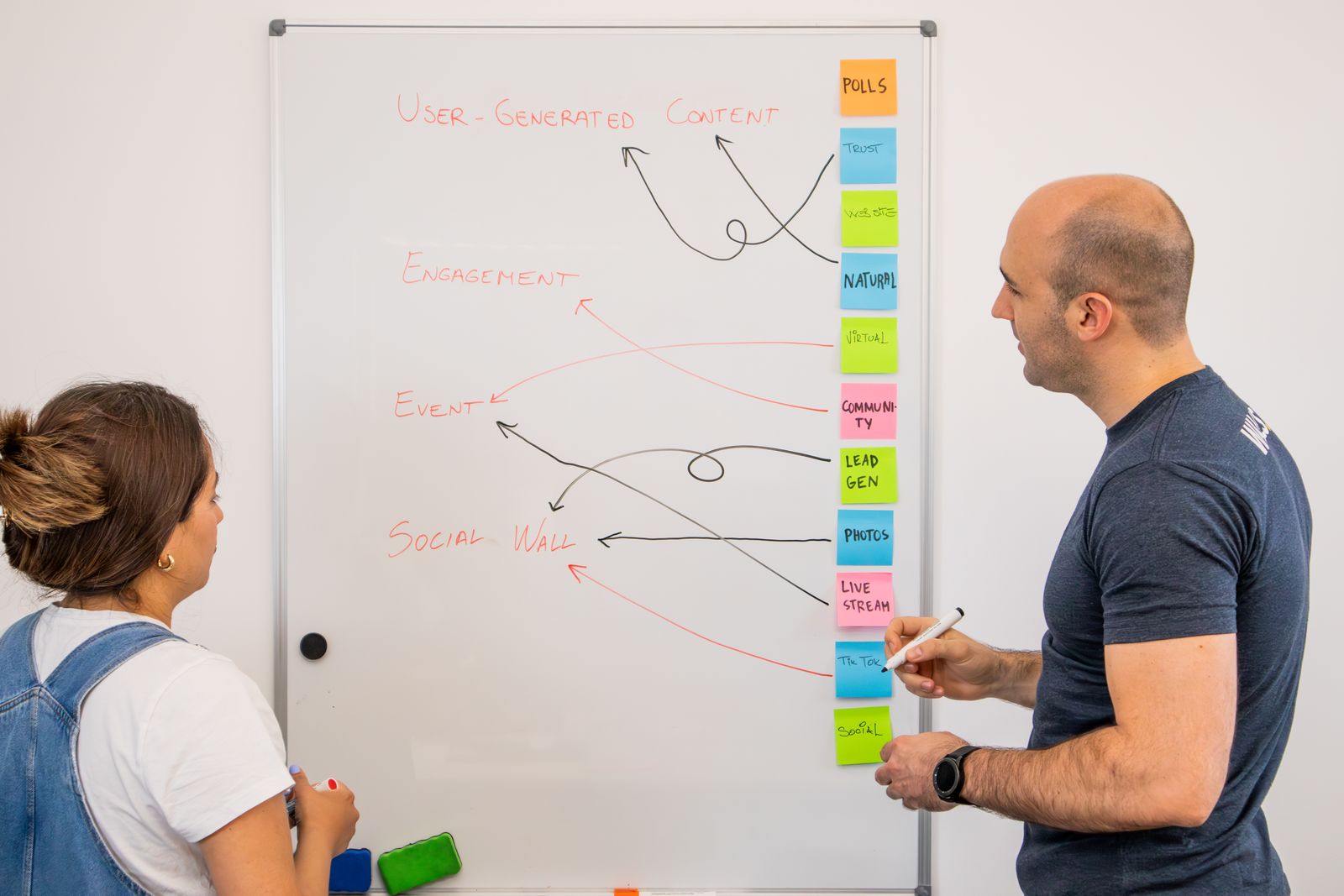
The pillar page targets the big, competitive keyword. The supporting posts target the smaller, easier ones. Every supporting post links up to the pillar, and the pillar links down to each of them. That web of links is what signals to Google that you’ve covered the topic thoroughly, not just touched it once.
Pillar Pages vs. Topic Clusters vs. Regular Blog Posts
These three terms get thrown around like they mean the same thing. They don’t. A pillar page is the single anchor page. A topic cluster is the whole group — the pillar plus all the supporting posts linked to it. A regular blog post is what most businesses publish: a standalone article with no deliberate connection to anything else on the site.
The difference matters because Google rewards structure. A lone blog post about “how much does a new roof cost” competes on its own, with nothing backing it up. That same post inside a cluster — linked to a roof-replacement pillar and sitting beside eight related articles — inherits authority from the whole group. We’ve broken down the group strategy in more depth in our guide to topic clusters for small business content, but the short version is this: the pillar is one page, the cluster is the system, and the system is what ranks.
Why Pillar Pages Help Small Businesses Rank Faster
Pillar pages help small businesses rank faster because they let you build authority on a narrow topic instead of competing on everything at once. A local business can’t out-publish a national brand. What it can do is own one subject so completely that Google has no better local answer to show.
Here’s the part most people miss. When you link ten related posts to one pillar, you’re not just helping readers navigate — you’re concentrating ranking signals. HubSpot ran this exact experiment on its own blog and found that the more interlinking it added between cluster posts and the pillar, the more search impressions the whole group earned. The links did the work. This is also why niche sites punch above their weight: RetroRadical, a retro pop-culture site managed through RankOnRepeat, grew traffic 369% in 30 days after committing to a tight publishing schedule around connected topics rather than random one-off posts.
The truth is, most small businesses that “tried blogging and it didn’t work” never had a structure problem solved for them. They wrote good posts that floated alone. A pillar page gives those posts something to hold onto.

How to Build Your First Pillar Page
Start with the one topic your business most wants to be known for. Not ten topics — one. A family dentist might pick “cosmetic dentistry.” A landscaper might pick “lawn care.” That broad topic becomes your pillar.
Next, list every question a customer asks about that topic. A dentist’s cosmetic-dentistry list might include teeth whitening cost, veneers vs. crowns, how long veneers last, and whether insurance covers any of it. Each of those becomes a supporting blog post. The pillar page itself gives a solid overview of the whole subject — enough to be genuinely useful on its own — and links out to each supporting post for the deep detail.
Then wire the links both ways. Every supporting post links back to the pillar using clear anchor text, and the pillar links down to every supporting post. Publish the pillar first, then release the supporting posts on a steady schedule. If you’re weighing which of those posts to write first, our breakdown of evergreen vs. trending content is a good filter — evergreen questions belong in the cluster, trending ones usually don’t.

How Long Should a Pillar Page Be, and How Many Posts Around It?
A pillar page usually runs 2,000 to 4,000 words because it has to cover a broad topic without feeling thin. Length isn’t a magic ranking number, though — it’s a byproduct of actually covering the subject. If your topic genuinely needs 2,500 words to explain, write 2,500. Padding a page to hit a word count is a waste of everyone’s time, Google’s included.
For the cluster around it, aim for 6 to 12 supporting posts to start. That’s enough to signal real depth without stalling because the project feels endless. You don’t need all of them live on day one. A realistic pace for a small business is the pillar plus one or two posts a week, which builds a complete cluster in about two months. If you want the fuller math on volume, we walked through how many blog posts you actually need to rank in a separate guide.

Pillar Page Mistakes That Quietly Kill Rankings
The most common mistake is building the pillar and forgetting the links. A pillar page with no supporting posts pointing at it is just a long article — the structure that makes it powerful never gets built. The links are not optional decoration; they’re the mechanism.
A few others show up again and again:
- Keyword overlap. Two supporting posts targeting the same search term end up competing with each other instead of the competition. Give each post its own distinct question.
- Thin supporting posts. A 300-word post stuffed to fill a slot adds nothing. Each one should genuinely answer its question.
- Orphaned pillars. Publishing the pillar and then never releasing the cluster around it. A lonely pillar rarely ranks for anything hard.
- Vague anchor text. Linking with “click here” instead of the actual topic wastes the signal. Describe what’s on the other end of the link.
Fixing these is usually less work than the original writing was. Most struggling pillars don’t need more content — they need the links tightened and the overlaps cleaned up.
How to Tell If Your Pillar Page Is Working
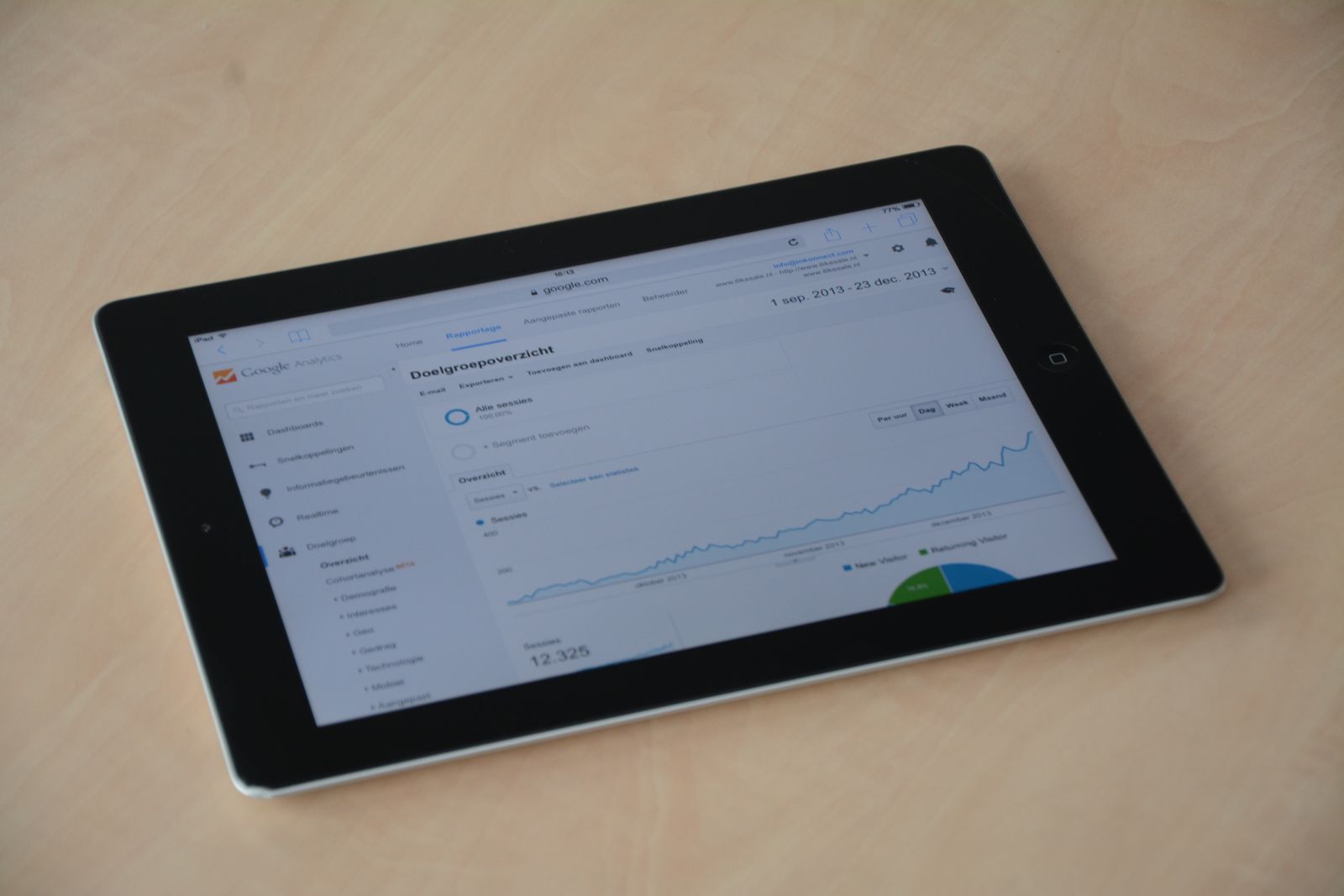
Open Google Search Console and watch two things over 8 to 12 weeks: total impressions for the cluster’s pages and the average position of your pillar for its main keyword. Rankings move slowly, so don’t check daily — check the trend line monthly. Impressions climbing before clicks do is normal and good; it means Google is testing your pages on more searches.
The number that actually pays your bills is calls, form fills, and booked jobs, not rankings. A pillar page that sits at position 6 but pulls in five qualified leads a month beats a page at position 1 for a keyword nobody searching for your service ever types. Track which pages lead to contact-form submissions, and you’ll quickly see which parts of the cluster deserve more supporting posts.
Frequently Asked Questions
How long does a pillar page take to rank?
Expect three to six months before a pillar page and its cluster show meaningful movement, and longer in competitive markets. Rankings build as Google crawls the internal links and sees the supporting posts accumulate. The pace depends heavily on how consistently you publish the cluster around it.
Do I need a topic cluster, or can I just publish one pillar page?
A pillar page on its own rarely does much. The ranking power comes from the cluster of supporting posts linking back to it. One long page with no cluster is just a regular article — plan for at least six supporting posts to make the structure work.
Can a small business really outrank big brands with pillar pages?
Yes, on local and long-tail searches. A big brand can’t cover every local query in depth, and it can’t beat a focused site on niche, specific questions. Pillar pages let a small business own one subject completely, which is exactly where large competitors are weakest.
How many pillar pages should my website have?
Start with one and finish its cluster before adding a second. Most small businesses only need two to four pillar pages total, each mapped to a core service. Building one complete cluster beats leaving three half-finished ones scattered across your site.
The One Thing to Do This Week
Pick your one topic. Not the content calendar, not the ten posts — just the single subject your business most wants to be found for. Everything else in the pillar-cluster model follows from that one decision, and most businesses stall because they never make it. Write the topic down, then list ten questions your customers ask about it. That list is your cluster.
If publishing SEO content consistently sounds like too much work, RankOnRepeat handles everything — keyword research, writing, and publishing — for a flat monthly fee. You can see exactly how RankOnRepeat works and what a done-for-you pillar cluster looks like before you commit to anything.
Published by the RankOnRepeat editorial team · Last updated: July 16, 2026 · How RankOnRepeat works
References
- HubSpot — How We Used the Pillar-Cluster Model to Transform Our Blog — HubSpot’s internal experiment showing that more interlinking between cluster posts and pillars raised search impressions.
- Google Search Central — Creating Helpful, Reliable, People-First Content — Google’s guidance on covering topics thoroughly rather than chasing single keywords.
- HubSpot — Pillar Page Examples — Reference examples of pillar pages and how they anchor topic clusters.
- Google Search Central — Make Your Links Crawlable — Google’s documentation on descriptive anchor text and internal linking best practice.